
Case Study—In-Product Tutorials
They Had the Scanner From the Launch Screen. They Didn't Know It.
Northbeam · Reconstruction · Fictional Brand
200%
Scan-action adoption over six months
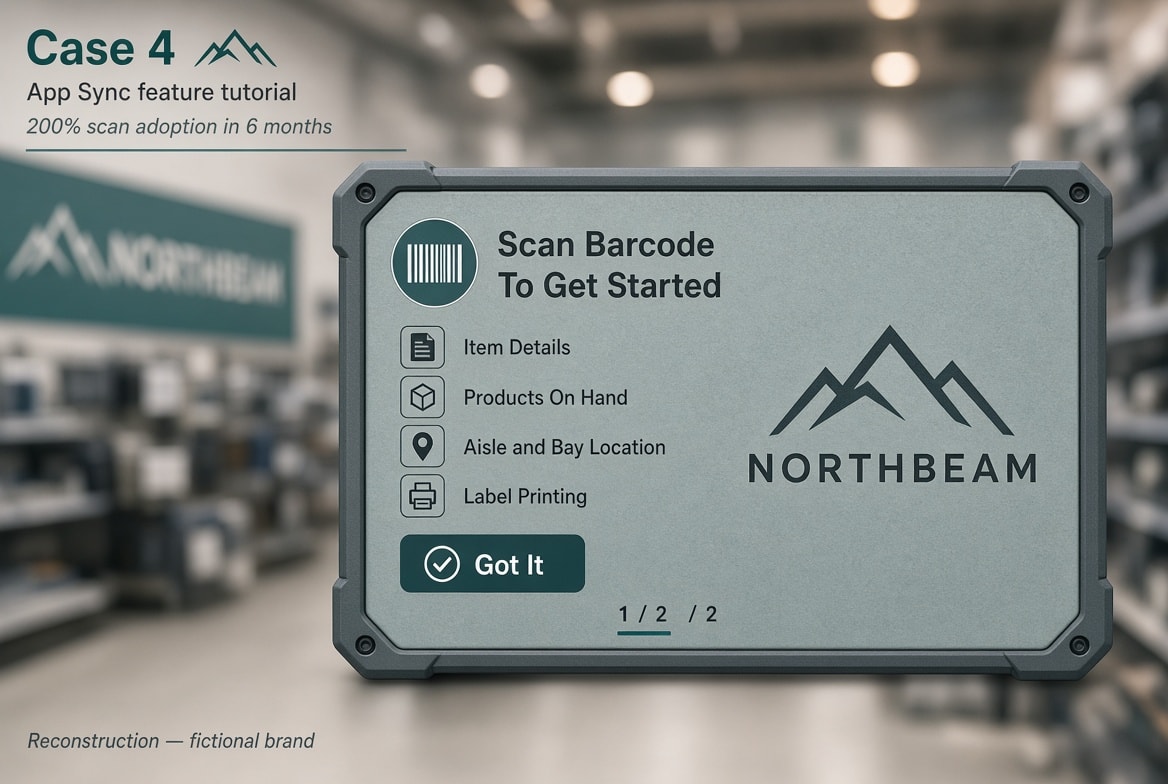
An interruptive App Sync tutorial after login. Short movie plus cards. Close and Got It to leave.
The Challenge
Associates could scan product barcodes, QR codes, and location barcodes from their company-issued device. Store operations knew that; associates often didn't. The gap was communication between store operations and the floor, not missing hardware or software features.
Without scan they signed into extra apps for item details, on-hand quantity, aisle and bay, and labels. App Sync was designed to surface those tools earlier in the flow. Unaware, associates never used the shortcut.
The Approach
I wrote and designed the short movie script and Feature Tutorial cards, including role branches and the Next/Got It/Close user experience.
Killed: Operations and store-level comms-only (email, huddle, poster). These channels already had awareness of the message; associates still were not scanning.
Shipped: interruptive experience after login—short movie plus cards—close allowed, role-specific, plus a library under Help & Tutorial → Feature Tutorials.
Copy in the flow:
- Post-login: if the associate has not seen the Scan highlight movie clip, show Scan Barcode To Get Started, then the role card.
- Corporate gets Swipe Left To Shadow Store. Supervisors and managers get Swipe Left For Store Sales.
- Scan Barcode To Get Started—Instantly access the product-related information you need most: Item Details · Products On Hand · Aisle and Bay Location · Label Printing.
- Next on card 1 of 2. Got It on the last card.
- Acknowledgment is Got It, not OK—the same button standard as the content system.
The Result
Over six months after the tutorial shipped, associate use of the scan action on the issued device reached 200% adoption.
Tutorial completion was treated as a given: the movie clip was short and showed users how to use the feature, which they did in significant numbers, saving time on task and adding customer service efficiency.